Build IDX Shortcode with iHomefinder & RETS
Real Estate IDX, IDX Shortcode, Ihomefinder, Easy Agent Pros, RETS Connection
How to Build an IDX Shortcode with iHomefinder and Easy Agent PRO’s Direct RETS Connection
Looking to turn your real estate website into a true lead magnet? Combining an IDX Shortcode from iHomefinder with Easy Agent PRO’s direct RETS connection gives you a powerful, flexible Real Estate IDX experience that’s built to capture and convert more buyers and sellers.
What Is an IDX Shortcode and Why It Matters for Agents
An IDX Shortcode is a simple, copy‑and‑paste snippet you can drop into any page or blog post to instantly display MLS listings, property search bars, featured communities, or market widgets. Instead of wrestling with code, you use shortcodes to control where and how your Real Estate IDX content appears on your site.
For busy real estate agents, teams, and brokers, this means you can launch neighborhood pages, niche landing pages, or blog posts with live listings in minutes. Easy Agent PRO is built around this idea of simplicity: let the platform and IDX tools do the heavy lifting so you can focus on conversations and closings, not code.
Using iHomefinder (IHF) to Power Your IDX Shortcodes
iHomefinder (IHF) is a popular Real Estate IDX provider that connects to your MLS, keeps listings updated, and gives you flexible tools for search, map views, and property detail pages. One of its biggest strengths is the ability to create IDX Shortcodes that you can embed almost anywhere on your site, including an Easy Agent PRO website.
Inside your iHomefinder dashboard, you typically:
Choose the type of IDX content you want (search form, featured listings, map search, or specific property sets).
Set filters like price range, city, property type, or specific MLS areas you farm.
Generate an IDX Shortcode that reflects those settings.
From there, you simply paste that shortcode into your Easy Agent PRO page editor. The result is a clean, mobile‑friendly IDX display that matches your brand while pulling fresh data directly from your MLS through iHomefinder.
💡 Pro Tip: Create separate iHomefinder IDX Shortcodes for each neighborhood or niche you serve, then build targeted Easy Agent PRO landing pages around them for higher‑quality leads.
How Easy Agent PRO’s Direct RETS Connection Fits In
Easy Agent PRO adds another layer of power with a direct RETS Connection in supported markets. RETS (Real Estate Transaction Standard) is the data feed that moves listing information from your MLS to your website quickly and reliably.
A direct RETS connection means:
Faster updates: New listings, price changes, and status updates hit your site more quickly, so buyers see accurate information.
More control: You can fine‑tune how listings display, which fields are emphasized, and how search behaves on your Easy Agent PRO site.
Better lead capture: Every search, save, and inquiry can tie directly into Easy Agent PRO’s built‑in CRM and follow‑up tools.
When you pair iHomefinder’s IDX Shortcodes with Easy Agent PRO’s RETS‑powered platform, you’re not just displaying listings—you’re building a complete Real Estate IDX funnel that captures leads, tracks behavior, and supports smart follow‑up right inside your CRM.
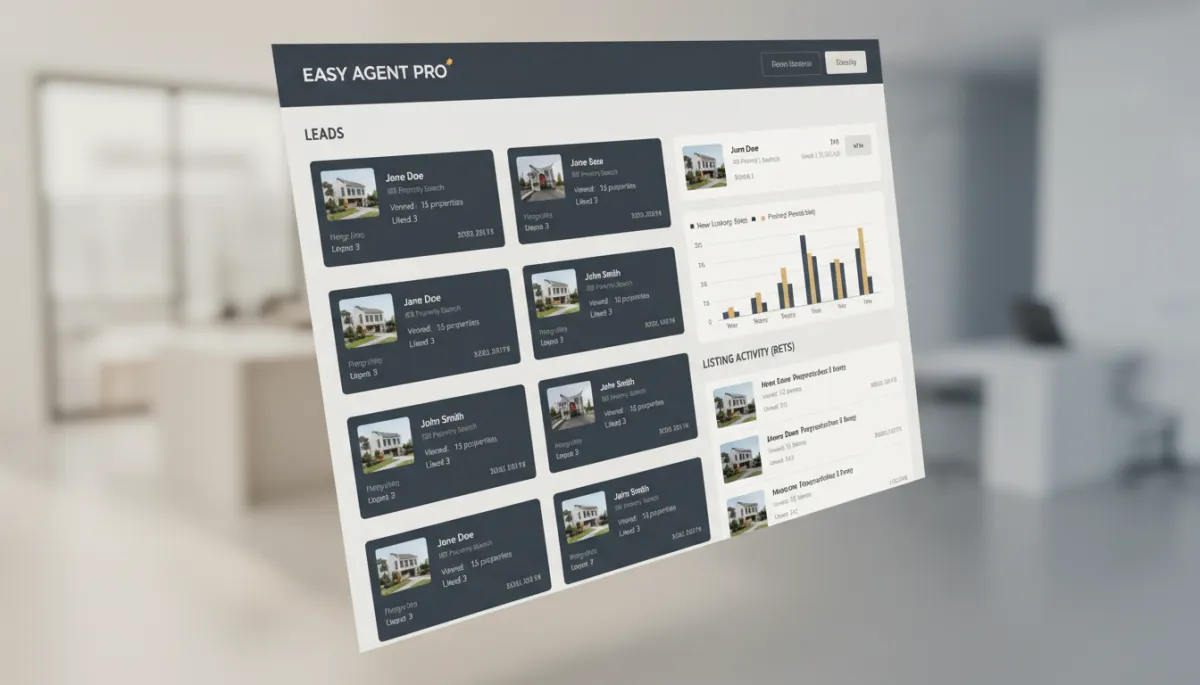
Connecting IDX activity to your CRM turns casual browsers into trackable, nurtured leads.
Practical Ways to Use IDX Shortcodes on Your Easy Agent PRO Site
Once your iHomefinder integration and RETS connection are set up, the real magic is in how you deploy those shortcodes. Here are a few high‑impact ideas real agents use every day:
Neighborhood pages: Embed an IDX Shortcode filtered to a specific subdivision or school district, then surround it with local photos, market stats, and calls to action to “Get daily listing alerts.”
Blog posts with live listings: Writing about “Best starter homes under $400K”? Drop in a shortcode that shows those exact properties so readers can browse without leaving the page.
Landing pages for ads: Connect your Google or Facebook ads to focused IDX landing pages built on Easy Agent PRO, using iHomefinder shortcodes to show highly relevant properties that match your ad targeting.
📌 Key Takeaway: The more specific your Real Estate IDX pages are, the more they feel like a custom shopping experience—and the more likely visitors are to register and become clients.
Bringing It All Together: Real Estate IDX That Works for You
Building an effective Real Estate IDX experience doesn’t have to be overwhelming. With iHomefinder providing powerful IDX Shortcodes, and Easy Agent PRO delivering a direct RETS Connection, high‑converting page templates, and an integrated CRM, you get a streamlined system that supports your business instead of slowing it down.
If you’re ready to turn your website into a dependable source of leads—and not just a digital brochure—Easy Agent PRO is here to help. Our team is genuinely invested in your success and focused on giving you flexible tools without the tech headaches.
Book a free demo or get started today to see how an IDX‑powered Easy Agent PRO site, integrated with iHomefinder and a direct RETS connection, can turn more clicks into closings for your real estate business.